Resume naturally
Return after a refresh, a closed tab, or on another compatible website and continue from a confirmed position.
 Bynji
Bynji
Private by design · No ads
Bynji is a private, local-first browser extension for Chrome, Firefox, and all modern browsers that automatically remembers video progress and viewing history across web video players—then helps you resume right where you stopped.
 Chrome
 Firefox
 Brave
Brave
 Edge
Edge
 Zen
Zen
 Opera
Opera
 Vivaldi
 Floorp
 LibreWolf
 Waterfox
Return after a refresh, a closed tab, or on another compatible website and continue from a confirmed position.
Movies, series, episodes and videos stay organized while you watch normally.
Sync between your computers using your own local folder without cloud accounts, servers or terminal scripts. Learn how →
Simple, private watch-time summaries without an account, ads, or behavioral profiling.
Interactive product demo
Try the live simulator below to see how Bynji remembers playback, organizes your continue watching shelf, and computes private insights without an account or cloud servers.
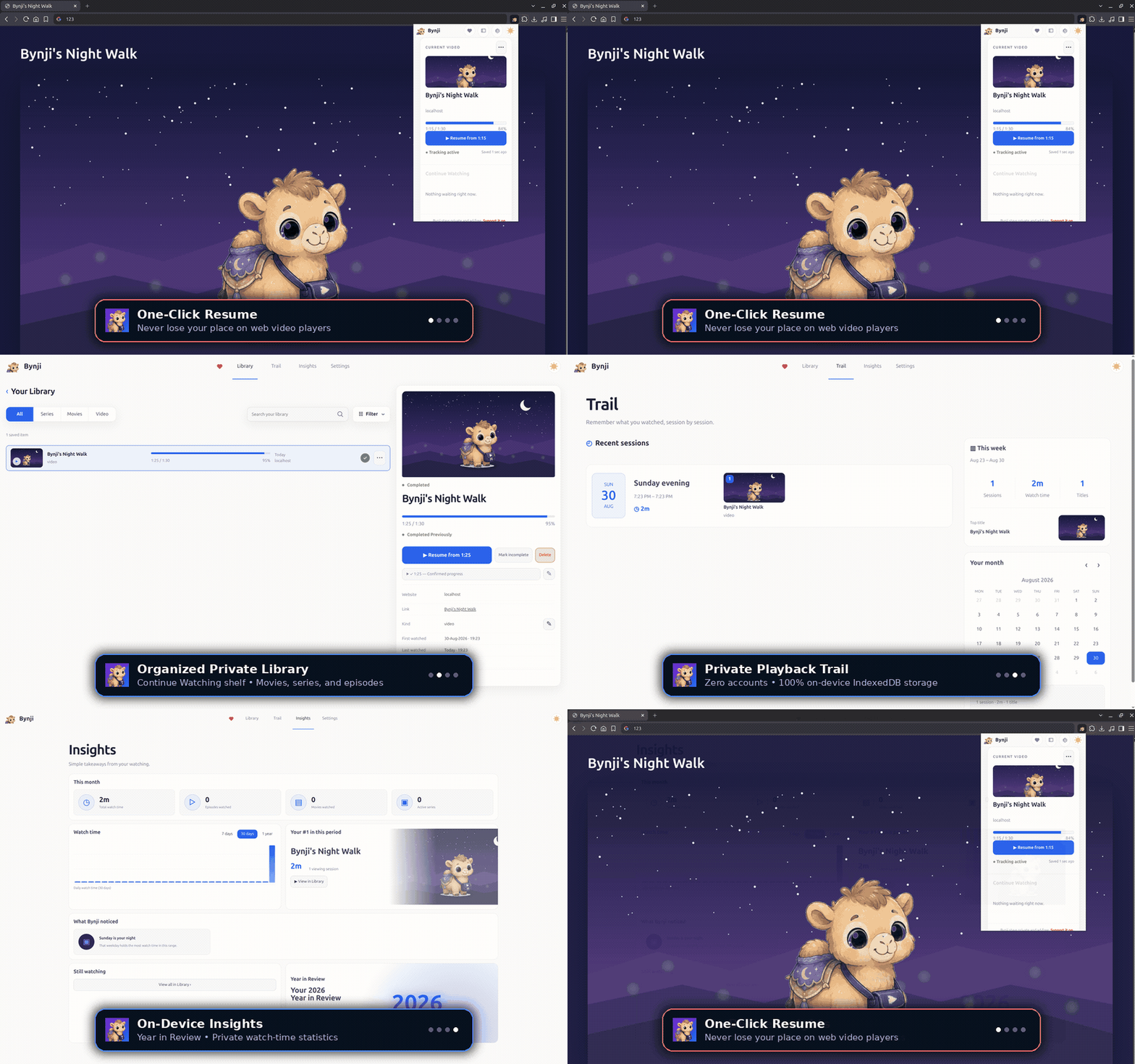
Three simple steps
Complete the one-time setup for appearance, Resume and subtitles.
Bynji recognizes meaningful playback on standard web players.
Resume from a confirmed saved position or explore your private Library.
Compatibility
Bynji works with standard web video players in current Chromium browsers on Windows, macOS and Linux. Website and player behavior varies, so compatibility is continuously improved without relying on a fixed list of supported sites.
Frequently asked questions
Bynji runs locally in your browser to observe HTML5 video players and iframe embeds. It automatically saves confirmed playback timestamps to your browser's private database and shows an instant one-click Resume prompt when you revisit the video.
Yes. Through Bynji's optional Local Sync, you choose a local folder on your computer. You can synchronize that folder across devices using your own Syncthing, Dropbox, Google Drive, OneDrive, or local network share without third-party accounts or central servers.
No. Bynji is 100% private, offline-first, and local-only. All watch history, progress timestamps, and viewer profiles remain on your device. There is zero telemetry, no central servers, and no advertising.
Bynji is available for Google Chrome and Chromium-based browsers (including Brave, Microsoft Edge, Opera, and Vivaldi), as well as Mozilla Firefox and Firefox-based browsers (including Zen Browser, Floorp, LibreWolf, and Waterfox). It works across standard web video players, streaming services, and iframe video embeds.